Zero Uploads
Your PDF is compressed locally in your browser. Nothing is uploaded or stored on any server.
Reduce the size of your PDF files with our free online compressor. Our tool optimizes PDFs for smaller size while maintaining quality, all securely in your browser. No uploads, no registration.
Reduce PDF file sizes by 30-60% with local, browser-based compression. No uploads, no sign-up, no watermarks.
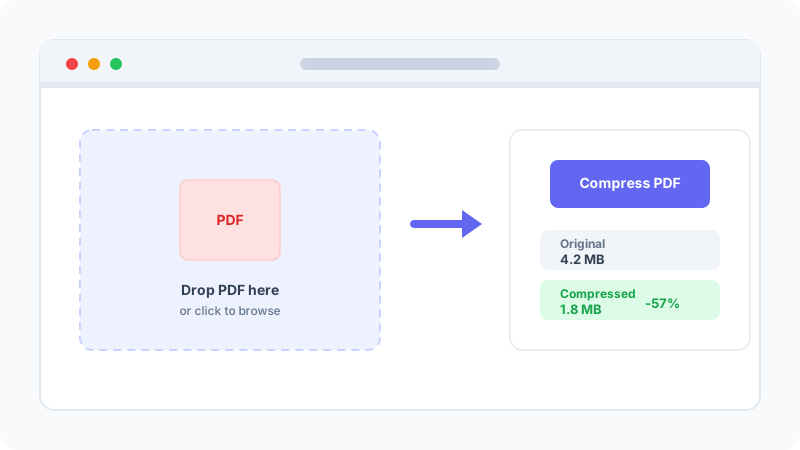
Drag your PDF into the upload area. The file stays in your browser and is never sent to a server.
Press the Compress PDF button. The tool optimizes structure and streams in a few seconds.
Compare original and compressed size, plus a quick preview to confirm visual quality.
Save the smaller PDF to your device. Your original filename is preserved.
Optional: remove author and creation info before compressing for extra privacy.
Shrink PDFs for email, web forms, and archives without losing quality.
Your PDF is compressed locally in your browser. Nothing is uploaded or stored on any server.
Upload, click Compress, and download. No configuration needed for most files.
Smaller files pass email attachment limits and upload faster to government and web forms.
Structure-only optimization keeps text, fonts, vectors, and images pixel-perfect.
Output is a standard PDF 1.7 file that opens in every modern PDF reader.
No watermarks, no usage caps, no registration. Free for personal and commercial use.
A PDF file is essentially a container that holds text, fonts, images, vector graphics, and metadata. When a word processor like Microsoft Word or Google Docs exports a document to PDF, it includes not only the visible content but also a significant amount of structural overhead — unused font glyphs, duplicate resource dictionaries, verbose cross-reference tables, and metadata such as the author's name, creation date, and editing history. This overhead can account for 20-40% of the total file size on documents produced by office applications.
Scanned PDFs are a different story. When you scan a document, each page is captured as a full-page image (typically JPEG or CCITT Group 4 compressed) and embedded into a PDF wrapper. In this case, the image data dominates the file size — often 90% or more — and the PDF structure overhead is negligible. This is why structure-only compression has minimal effect on scanned PDFs.
Lossless compression reduces file size without altering the visual appearance of the document. It works by removing redundant data within the PDF structure: unused objects are deleted, cross-reference tables are optimized, content streams are re-compressed with more efficient algorithms, and metadata is optionally stripped. The output is visually identical to the original — every pixel, every character, every vector path is preserved exactly. Our tool currently uses lossless compression exclusively.
Lossy compression takes a more aggressive approach. It re-encodes embedded images at lower resolutions, downsamples high-DPI photos to screen resolution, converts color images to grayscale, and may even re-rasterize vector text. Lossy compression can achieve 70-90% size reduction on image-heavy PDFs, but the visual quality is degraded. Adobe Acrobat's 'Optimize PDF' feature and Ghostscript's `-dPDFSETTINGS` options offer lossy modes.
Use lossless compression (our tool) when you need the PDF to look exactly like the original — for legal documents, signed contracts, official certificates, and professional reports. Use lossy compression when file size is the top priority and minor quality loss is acceptable — for web downloads, email newsletters, and internal review copies.
Our compressor uses the pdf-lib JavaScript library to parse the PDF's internal structure directly in your browser. It reads the cross-reference table to locate every object in the file, identifies unused or orphaned resources, and then rewrites the document with a streamlined structure. The entire process happens in your browser's memory — no data is transmitted over the network.
This approach has two key advantages over server-based tools like ILovePDF and SmallPDF. First, your documents never leave your device, which is critical for confidential contracts, medical records, and legal filings. Second, there are no server-side rate limits or file size caps — you can compress as many files as your device's memory allows, as often as you need.
Common ways teams and individuals use our PDF compressor.
Shrink PDFs below the 10-25 MB email attachment limits used by Gmail, Outlook, and Apple Mail.
Meet strict file size requirements on immigration, tax, and grant submission portals.
Compress years of invoices, contracts, and reports to save disk space and cloud storage costs.
Reduce PDF file sizes so visitors on mobile or slow connections can download them quickly.
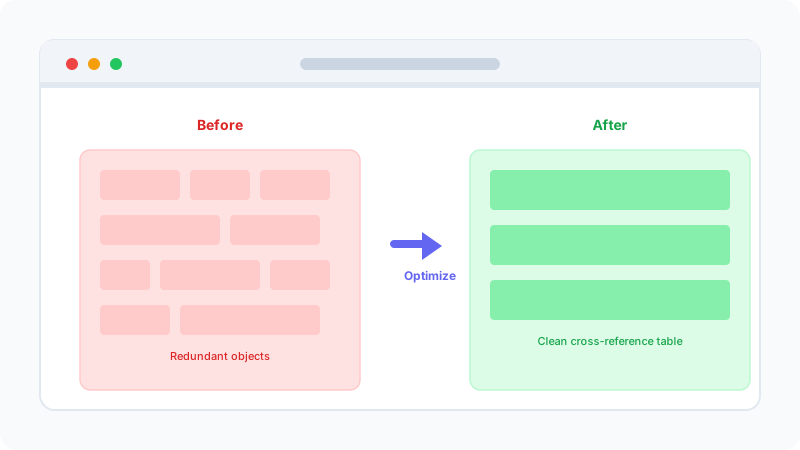
Drop your PDF into the browser and press Compress. The tool scans the file structure, removes redundant objects, and rewrites the cross-reference table locally — no server involved. You see original and compressed size side by side in seconds.
Instead of re-encoding images, the compressor cleans up the PDF's internal structure: unused fonts, duplicate objects, and verbose metadata are stripped while every visible page stays identical. The result is a smaller, standards-compliant file.
A quick look at the techniques used to make your PDF smaller.
Removes unused objects and rewrites the cross-reference table for a leaner file.
Re-compresses content streams losslessly for an extra 5-15% savings.
Optionally remove author and creation-tool metadata for privacy and smaller size.
Coming soon: re-encode embedded images for 70-90% savings on scanned PDFs.
Keeps only the glyphs actually used, cutting font overhead dramatically.
Consolidates small objects into compressed streams for another 5-10% reduction.
A side-by-side comparison of popular PDF compression tools.
| Feature | NeatForge | ILovePDF | SmallPDF | Adobe Acrobat Online |
|---|---|---|---|---|
| Privacy (no upload) | 100% local | Uploads to server | Uploads to server | Uploads to cloud |
| Free daily limit | Unlimited | 2 files/day | 2 files/day | trial |
| Registration required | No | Yes (for >2 files) | Yes (for >2 files) | Yes |
| Watermark on free tier | No | No | No | Yes |
| Lossless compression | ||||
| Image re-compression | Coming soon | |||
| Works offline | After page load | |||
| Batch processing | One at a time | Pro only | Pro only |
All server-based tools temporarily store your files during processing. Our tool never transmits your PDF — processing is 100% local in your browser.
Quick answers to common questions about PDF compression.
This tool runs entirely in your browser.
Compress a proposal PDF for email without making text blurry or unsearchable. Compare lossless and image compression, optimize source images, and verify the final file before sending.
Turn scanned pages into a compact, readable PDF. Choose practical DPI and image settings, keep pages in order, and create a shareable document locally in your browser.
Convert Markdown to Word (DOCX) and back online for free — private, browser-based, with images embedded automatically.